Turn any tablet into
your family's command center.
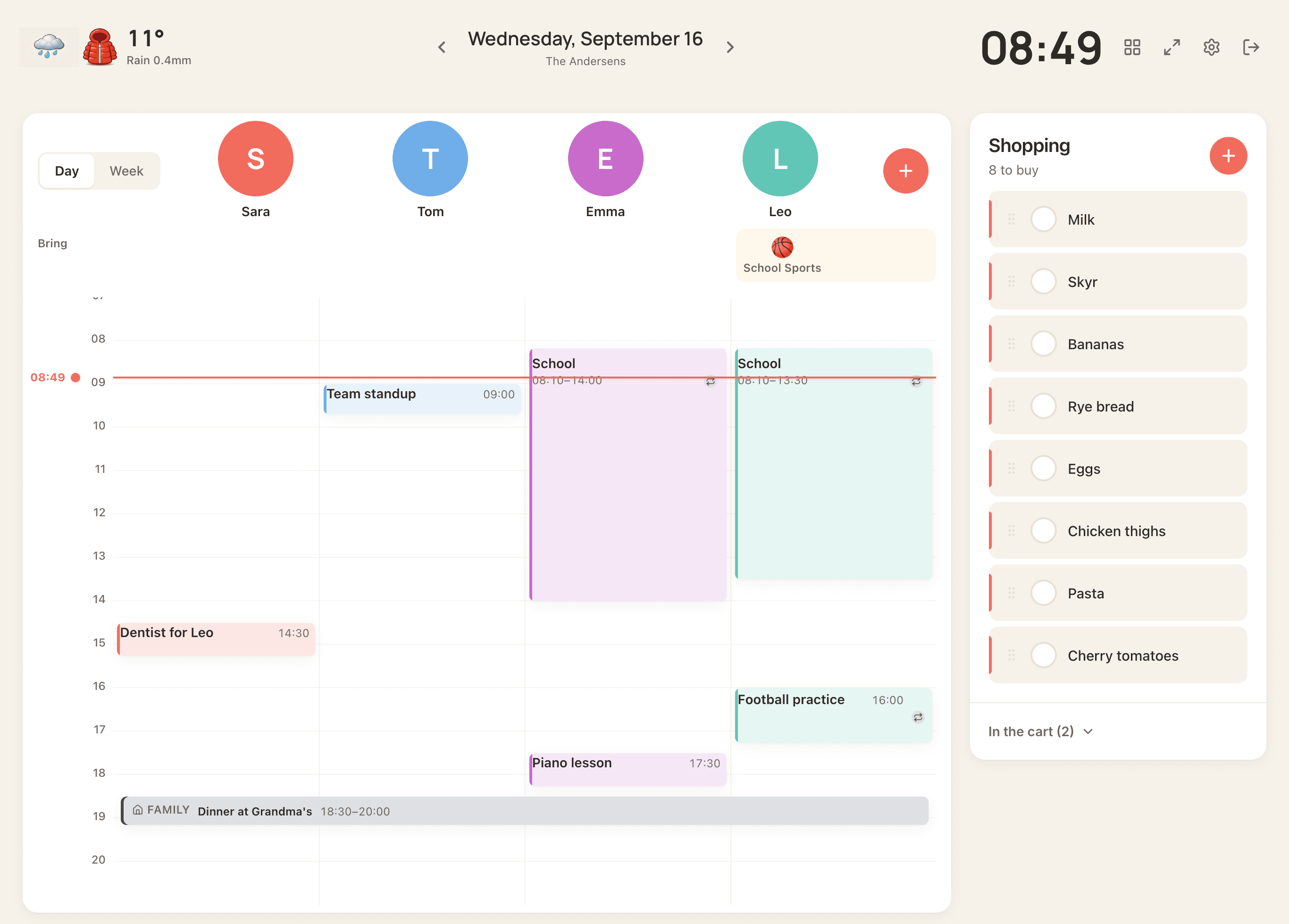
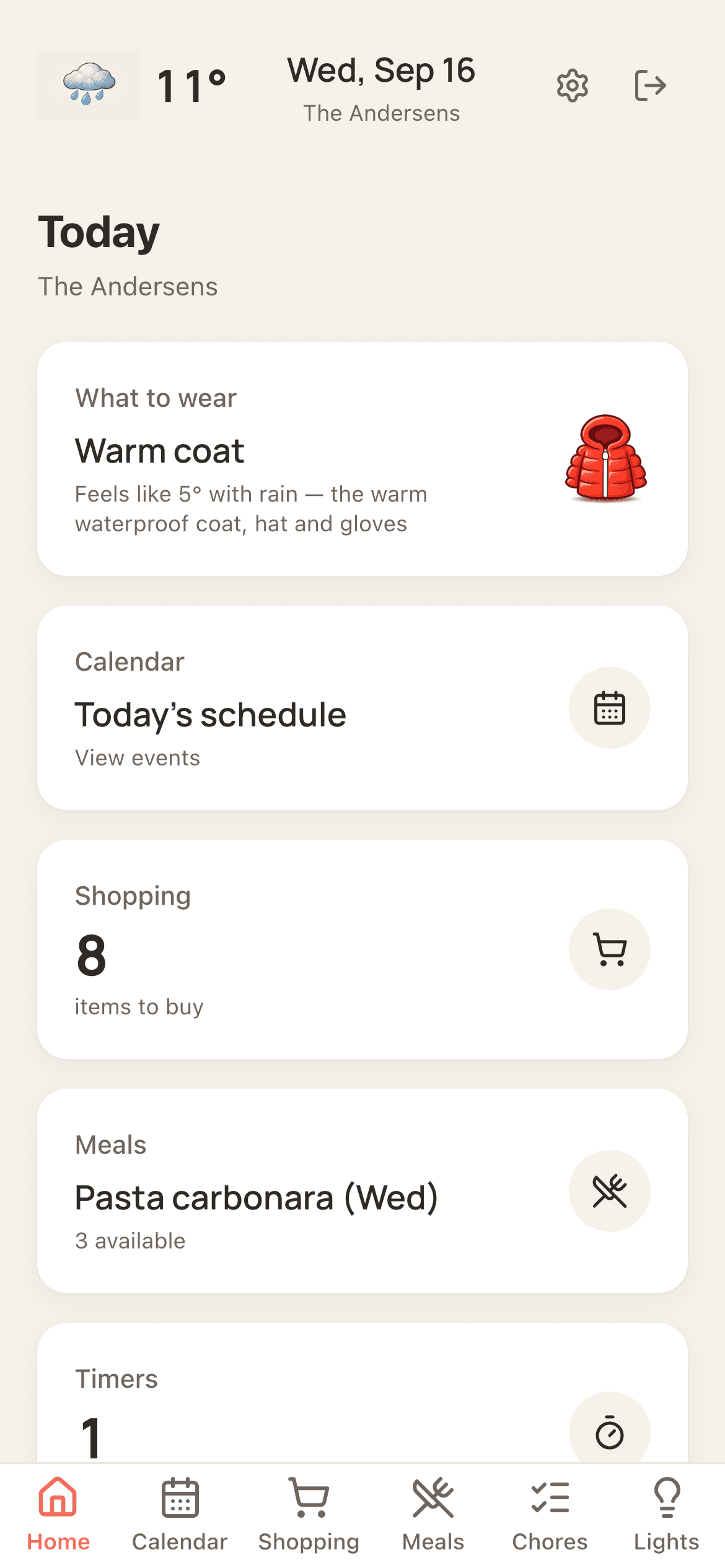
One screen everyone checks. Calendar, meals, shopping, chores, timers, weather — synced across every device in the house. Works on the iPad in your drawer, the old Surface, or the spare monitor. No $699 device required.
30 days free · No credit card · Then $69 a year · Setup in 5 minutes
Hearth is $785.
Skylight is $358.
Ohana Wall is $69.
Same job. Same calendar-chores-meals-shopping. A small fraction of the price — because the screen you need is probably already in your house.
Read the full Ohana Wall vs Hearth & Skylight comparison- Hardware
- $699
- Year 1 subscription
- $86
- Total first year
- $785
- Multiple screens
- Smart home
- Cancel anytime
- —
- Hardware
- $279
- Year 1 subscription
- $79
- Total first year
- $358
- Multiple screens
- Smart home
- Cancel anytime
- —
- Hardware
- $0use the tablet in your drawer
- Year 1 subscription
- $69everything included
- Total first year
- $69
- Multiple screens
- Smart home
- Included
- Cancel anytime
30 days free · No credit card · Uses the screen you already own
The screen is already in your house.
Check your kitchen drawer. The old iPad, the Surface you stopped traveling with, the monitor behind the router — any of them becomes a family command center in 5 minutes. No new hardware. No shipping wait. No $699.
Sound familiar?
Real moments of family life — and how Ohana Wall resolves them.
Every family member sees the same calendar, color-coded, always up to date.
Add it from your phone — it appears on the kitchen screen in seconds.
You already own the screen. Ohana Wall is $69 a year, every screen and feature included.
The week's meals are on the wall. Everyone can see Tuesday is tacos.
One shared list. Add from the aisle, check off at home, or vice versa.
Kids earn stars. The family pools them for rewards you choose.
Everything your family uses
in one place
One screen with the exact things families actually need — and nothing they don't.
Family Calendar
Google, Apple, Outlook sync. Color-coded by person. Visible from across the kitchen.
 Abler
AblerShopping List
Add from the store, check off at home. Everyone sees the same list.
Meal Planner
Plan the week. "What's for dinner?" answered before it's asked.
Chores & Stars
Kids earn stars per chore. Family pools them toward rewards you pick.
Timers
Pasta. Homework. Out-the-door countdown. Everyone sees them.
Weather & What to Wear
Tap for next 24 hours. Auto-reads the next 8 hours and picks the right jacket.
Smart Home
Home Assistant integration. Lights, scenes, switches — from the wall.
Set up in minutes.
Use it every single day.
No IT skills required. No app installation required. Just a browser and a screen.
Set up your household in minutes
Add your family members, choose which modules you want — calendar, chores, shopping, meals, timers, smart home — and you're ready to go. No configuration headaches.
Put Ohana Wall on a shared screen
Open it on any iPad, Android tablet, Surface, monitor, or computer in your kitchen or hallway. Mount it, prop it, or just leave it open. It becomes your family's home base.
Everyone stays in sync — from anywhere
Add events, update shopping lists, plan meals, and assign chores from your phone while you're out. Changes show up on the shared screen instantly — no refresh needed.
One plan. Everything included.
For reference: Hearth Display is $699 + $86/year. Skylight 15" is $279 + $79/year. Ohana Wall uses the screens you already own.
Ohana Wall
The whole home, every screen, every feature.
$5.75 a month, billed once a year
USD. Tax is added at checkout where your country requires it.
- Unlimited screens in the home
- Unlimited family members
- Calendar with Abler, Mentor, Google, Apple and Outlook
- Chores with stars and rewards
- Meals, shopping and timers
- Weather and what to wear
- Home Assistant smart home
- Everything we add later
30 days free, no card. Then $69 a year or $8.99 a month for the whole Ohana Wall household.
30 days free with no card. Cancel any time in one tap. No hardware to buy, ever.
Questions? We've got answers.
We're a family in Iceland, and Ohana Wall runs in our own kitchen every day. We built it because Hearth was $699 and shipped slowly, Skylight locked features behind a subscription, and neither worked on the iPad we already owned. If you're one of our first families, you're helping us build this. Write to us and a real person answers.
$785 less than Hearth.
One family calendar that actually gets used.
30 days free, no card. Works on the screen you already own. Cancel any time.
No credit card · No hardware · Cancel anytime · Setup in 5 minutes